
How to Enable Stripe Tax in Substack?
Article prepared with the help of AI. Review and editorial responsibility: the striptu team.
Stripe Tax works in Substack, but it doesn't turn on "automatically" just because you have payments connected. The simplest way to think about it is: you configure Stripe Tax in the Stripe dashboard, and then ask Substack support to activate the Stripe Tax integration for your newsletter (exactly as described in this article: Does Substack integrate with Stripe Tax?).
This article is for Substack authors and publishers (paid subscriptions) who want to correctly calculate taxes (VAT/sales tax), issue more "tax-complete" invoices, and have reports for settlements.
Important: this is not tax advice. Stripe Tax helps calculate tax based on jurisdiction and customer data, but the obligation to register, monitor thresholds, and file returns remains on your side. Always check your country's rules or consult an accountant.
---
What exactly does Stripe Tax provide in Substack?
1. Automatic tax calculation "at the point of sale" (checkout) for regions where you're registered to collect tax.
2. The ability for subscribers to enter their VAT ID / Tax ID, so the rate and taxation rules can be properly determined and a tax-compliant invoice can be issued.
3. Subscription invoices that are more compliant with regulatory requirements (including reverse charge support in the EU when a subscriber provides a VAT ID).
Without this – especially when your newsletter is subscribed to by people running businesses – you'll face a lot of additional manual work. In many cases, issuing a proper tax invoice is mandatory.
---
What does it look like from the subscriber's perspective?
On the subscription plan page, the subscriber can:
- enter their VAT/Tax ID,
- provide a billing address or (depending on the case) the zip code from their card,
and tax will be calculated based on location. In practice, this is crucial if you sell subscriptions to the EU/UK and need correct VAT (including B2B/reverse charge).

The "Add VAT / tax ID" button shown above allows your subscribers to decide whether to provide invoice information when subscribing to your newsletter. This data will also be used when the subscription renews.
---
Stripe Tax Configuration Step by Step
Below is the "shortest path," updated for 2026. If you'd rather not go through this alone – book a meeting where we'll implement it together!
Step 1: Enable Stripe Tax in Stripe
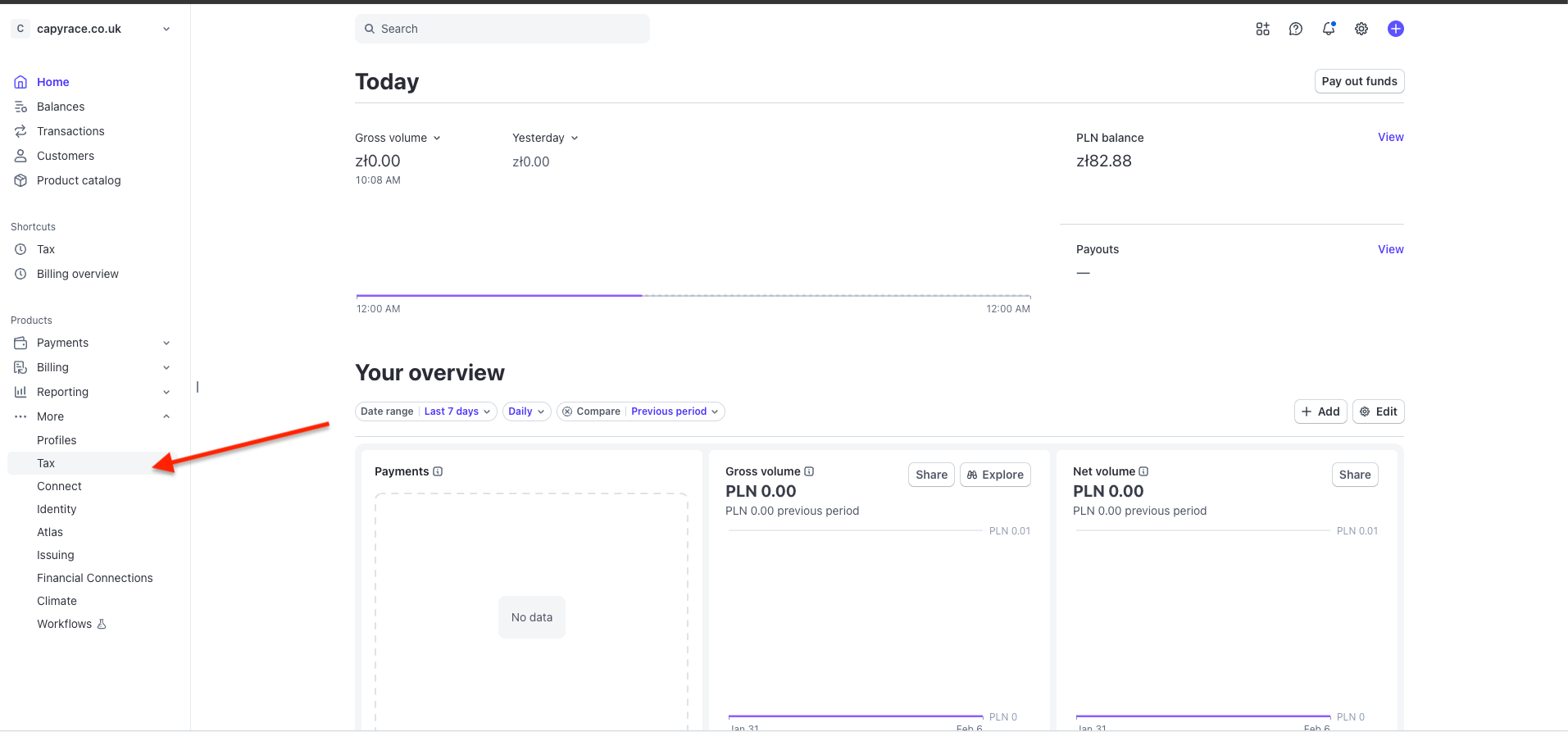
Go to the Stripe Tax settings in the Stripe dashboard, specifically in the left menu. And click "Get started".
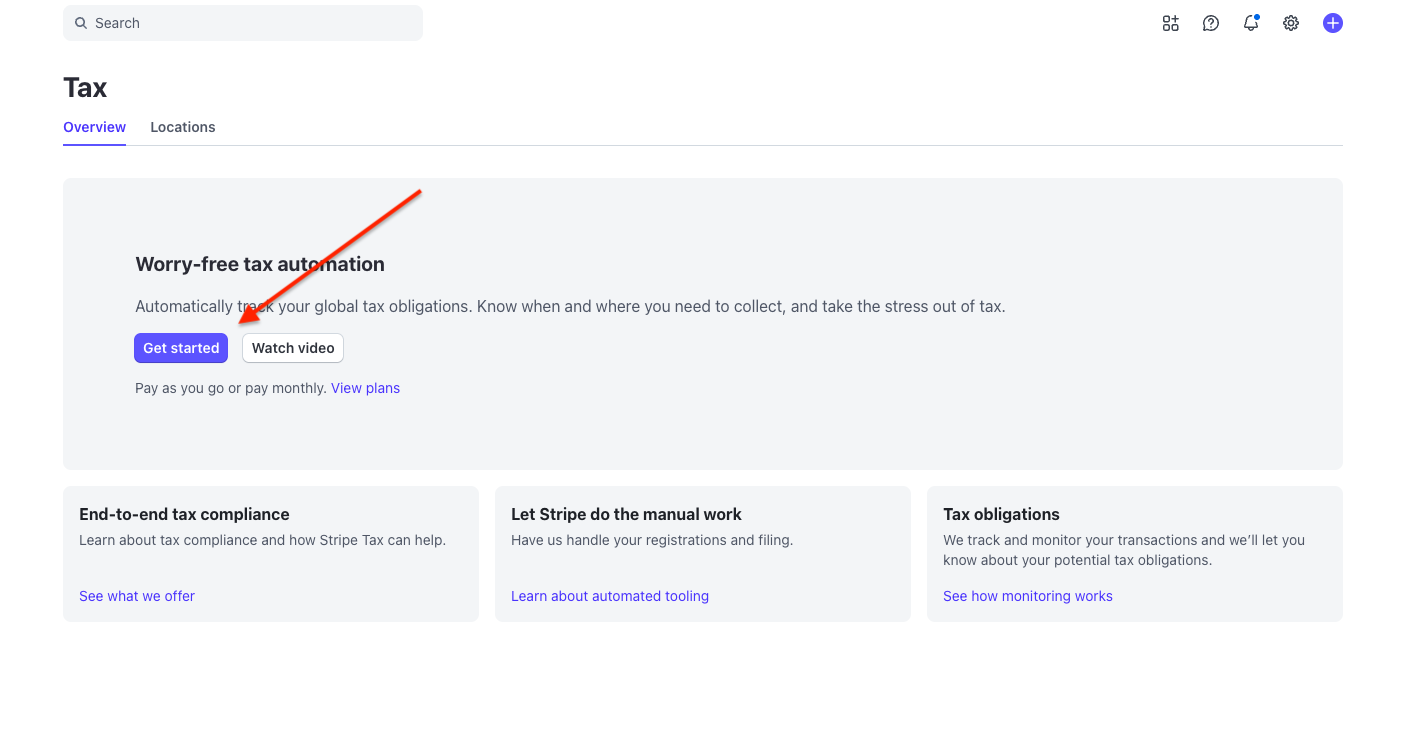
If you've already entered your business data previously, you'll see the state shown below. If not, complete all steps before adding a tax registration. Click "Start" if you have all previous steps completed.
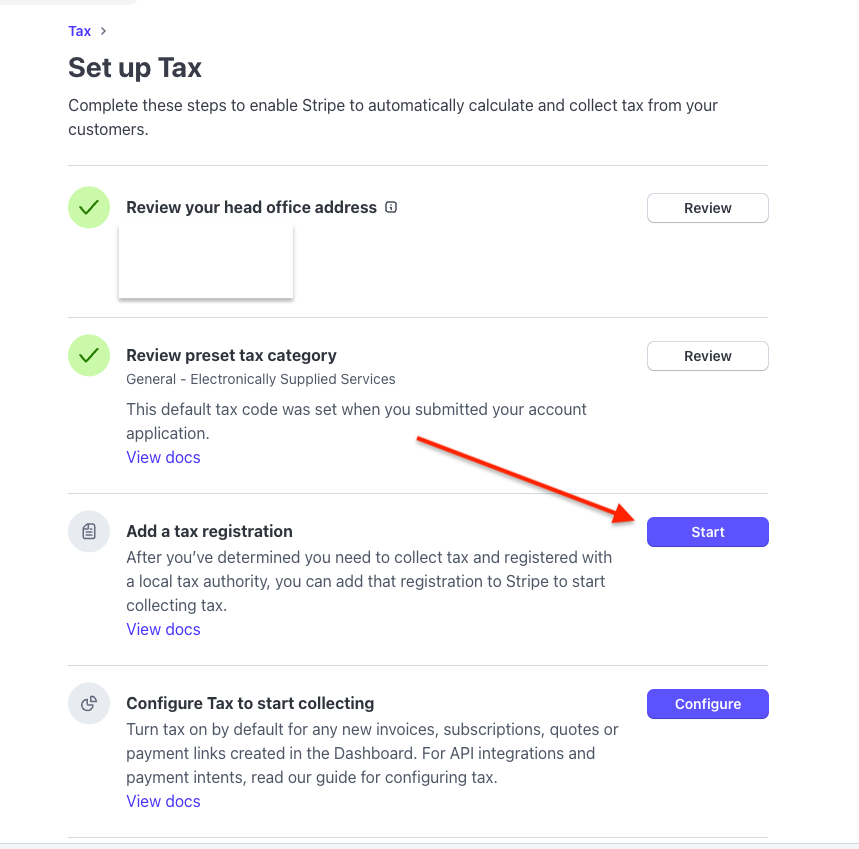
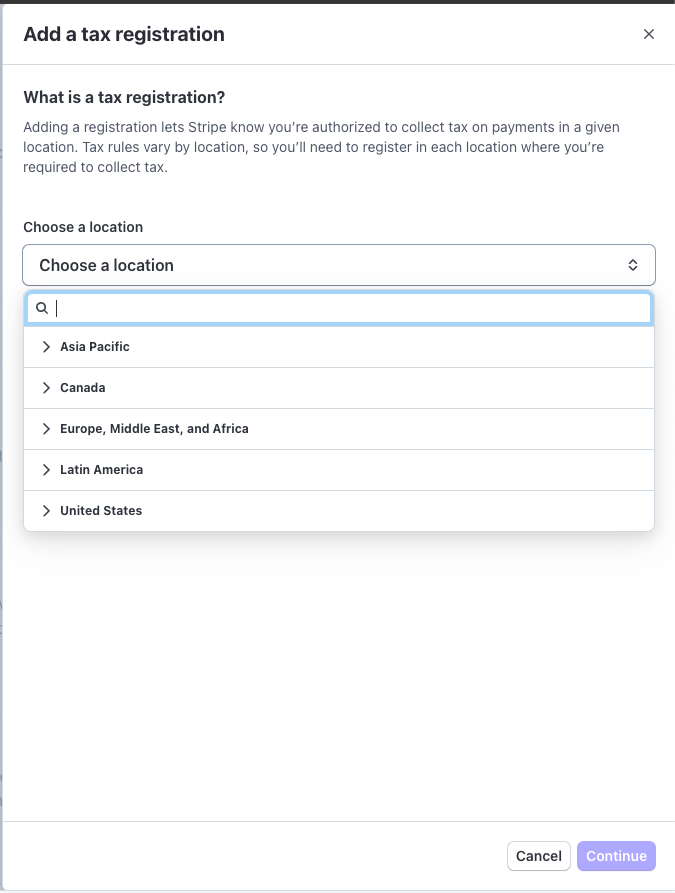
Go through the process where you determine how you settle tax. Stripe is an international platform, so you need to decide on more cases, even if you only intend to sell in your home country.
In order:
- Select your location.
- If you're registered for VAT/sales tax (which in most cases you are), select the appropriate option.
- Choose the option for settling with counterparties in the European Union (in most cases, the "Domestic" option applies, meaning settlement at the place of business).
- If you sell only domestically, in the last step both options are usually "No".

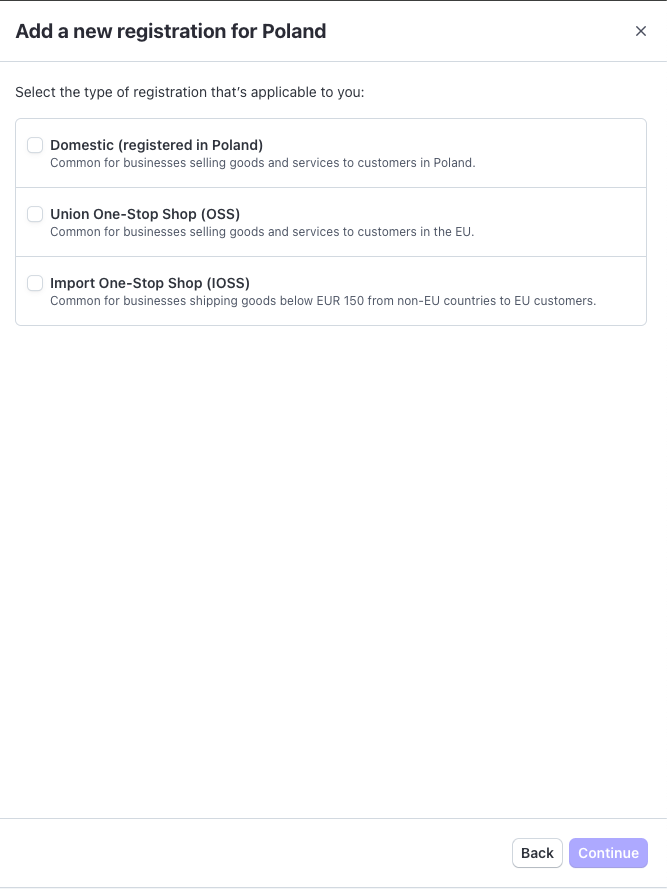
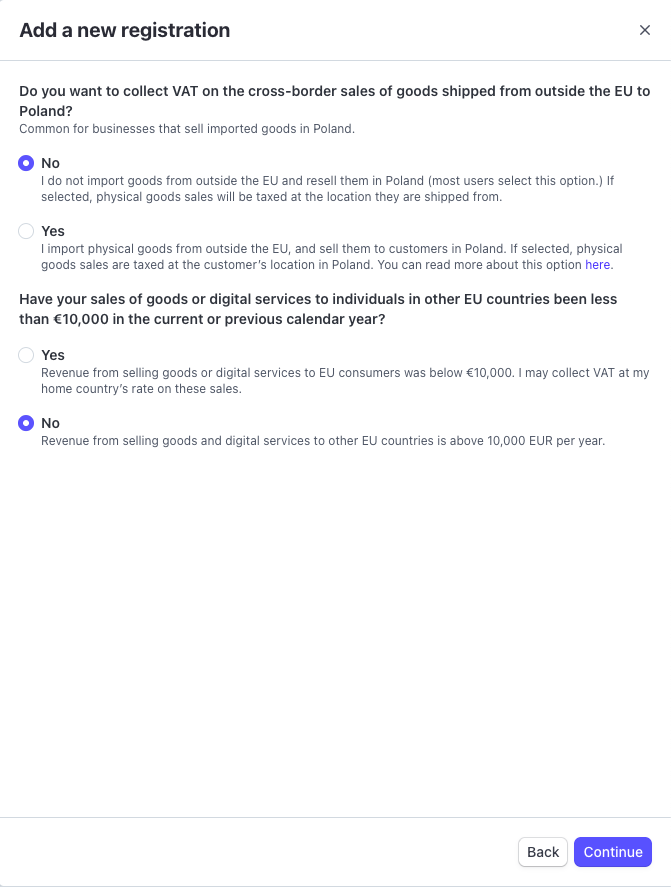
Step 2: Select the Tax Category
During the onboarding process, you choose a category. The default one assigned by Stripe is "General – Electronically Supplied Services." This usually fits newsletters/digital subscriptions, but always check if it matches your offer (e.g., content access, community, bonuses).
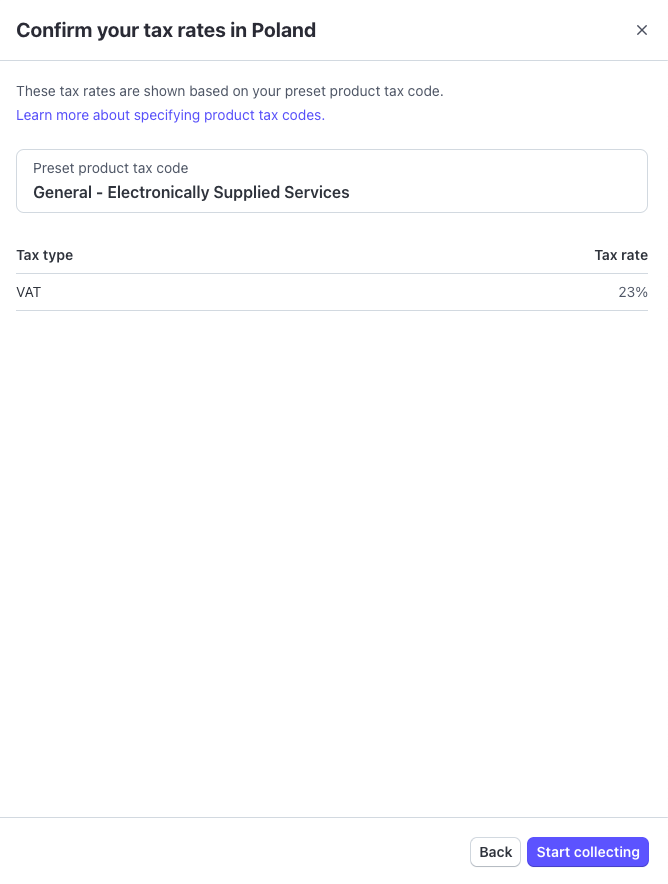
Step 4: Enable EU VAT Collection for Stripe
After setting the category and registration, select "close" and return to the main panel. Click "configure" and simply confirm "Close and mark task as complete".
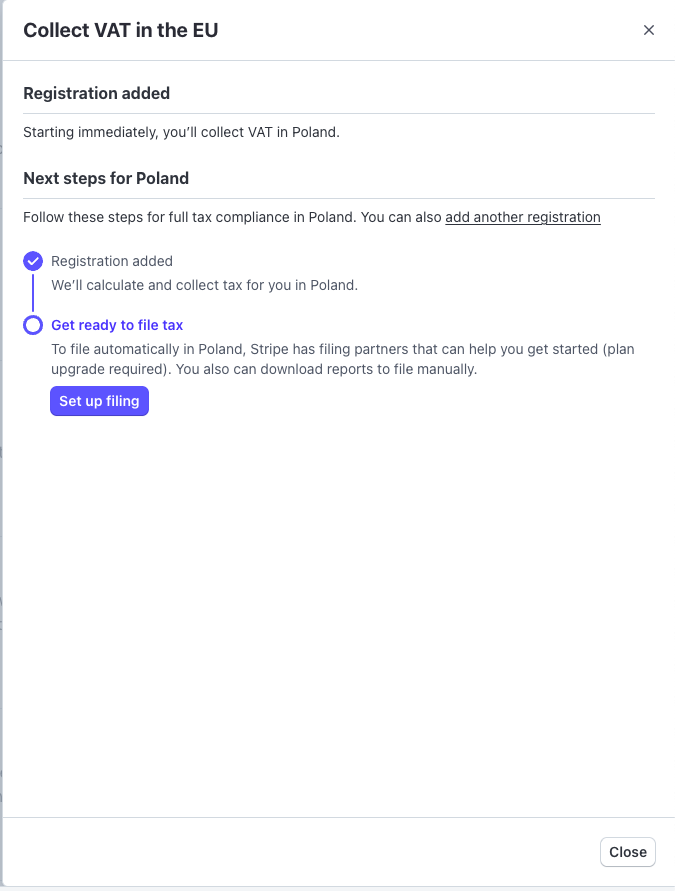
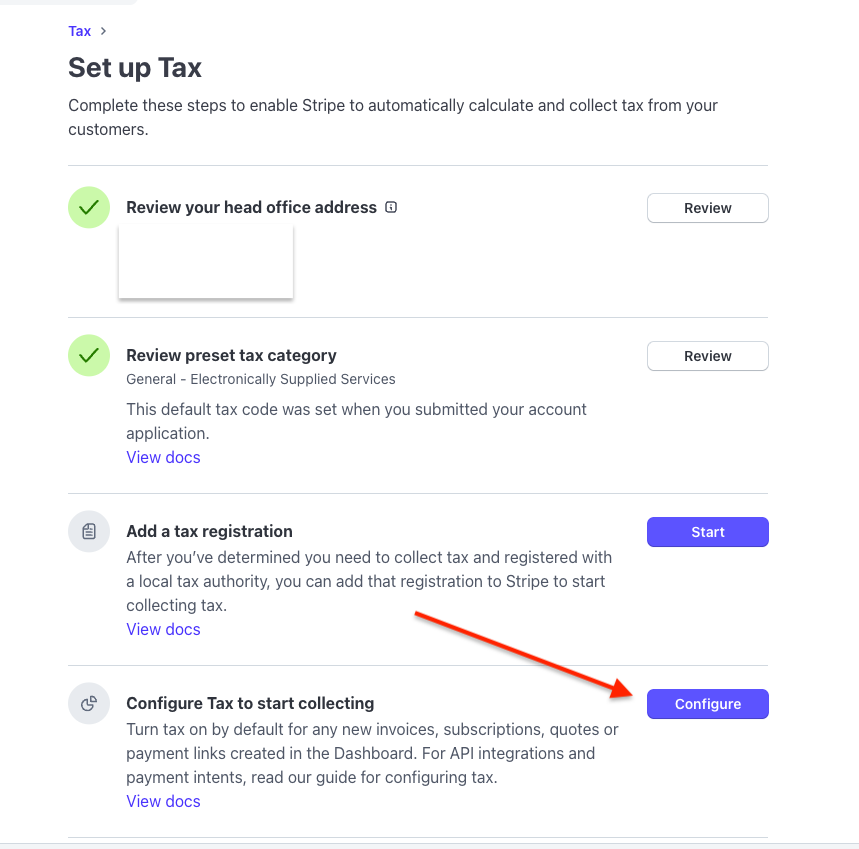
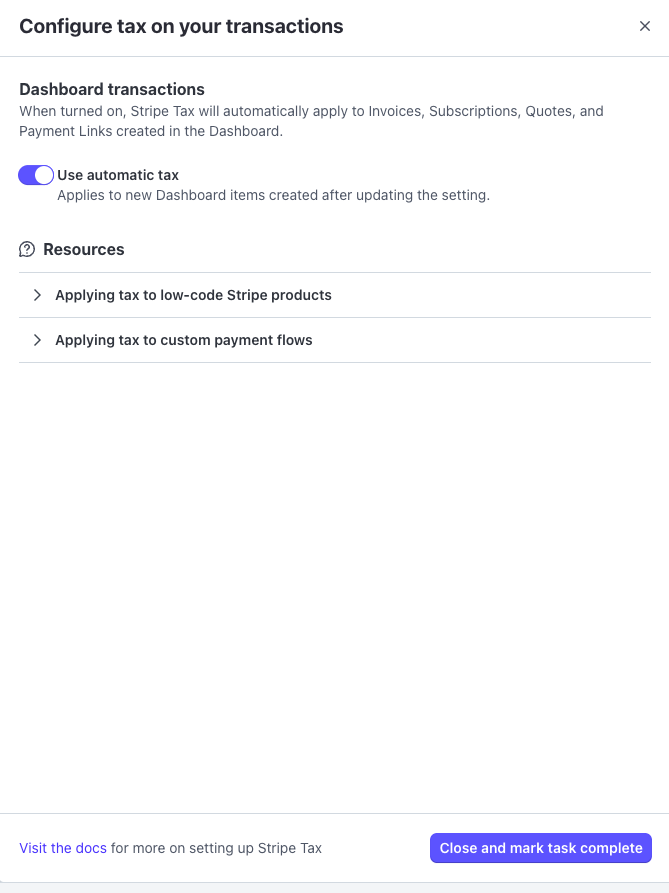
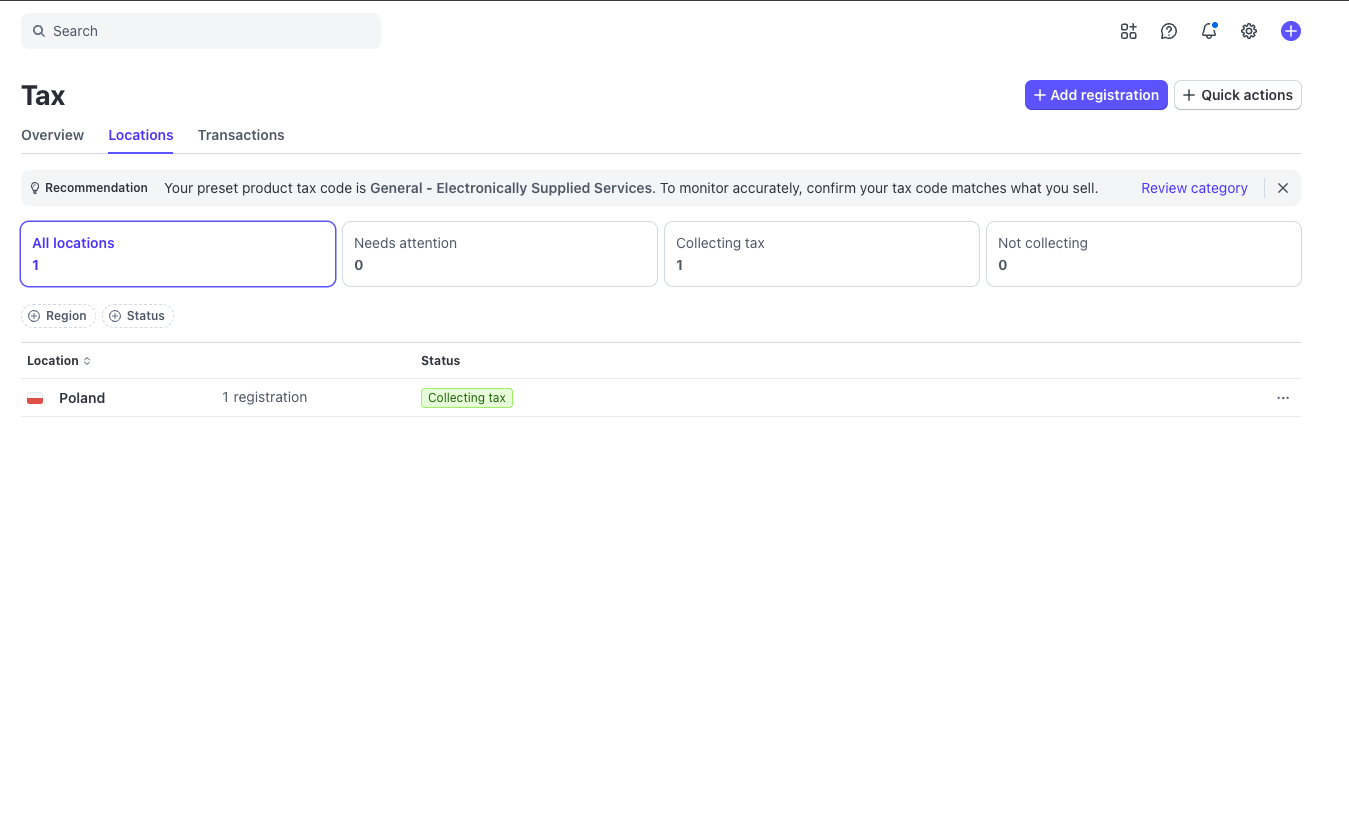
After completing all tasks, you should see the following dashboard. On the Stripe side, that's everything. Now it's time to configure on the Substack side.
---
Activating Stripe Tax on the Substack Side (This Is the "Hidden" Step)
Even after correct configuration in Stripe, Substack indicates an additional step: you need to ask Substack support to enable Stripe Tax on your publication through the support widget (chat).
How to do it practically:
1. Open the Substack support widget (help / support).
2. Write that you're requesting Stripe Tax to be enabled for your publication and ask for a human (human support specialist).
Suggested message:
"Hi! I have already configured Stripe Tax on my Stripe account (tax category + tax registrations + toggle enabled). Could you please enable the Stripe Tax integration for my Substack publication: [Insert Publication Name]? Can a support specialist activate this for me?"
You'll usually need to exchange a few messages with them and confirm that you've done your part correctly. Within 48 hours, you'll receive an email from support asking for additional details, and after your (another) confirmation, they'll enable the ability to collect information from your subscribers for tax invoice purposes.
Mini-checklist before launch:
- I have the tax category set in Stripe Tax.
- I have added tax registrations where I actually need to collect tax.
- I have Stripe Tax enabled in Stripe (toggle).
- I've written to Substack support through the widget and have confirmation of integration activation.
---
How to Connect Substack with Your Accounting System?
Stripe Tax solves the issue of tax calculation at checkout and tax reporting, but it doesn't automatically solve the "local accounting" problem: invoice numbering, document compliance with country requirements, exports to your accounting firm, or integration with tools like InvoiceOcean, Xero, QuickBooks, or Zoho. Not to mention the country-specific e-invoicing mandates emerging across the EU under ViDA.
In practice, many creators face the same problem:
- Substack collects the payment and (sometimes) generates a document/receipt, but local accounting expects an invoice in a specific format, with specific numbering and field set.
- Stripe and Substack are global, while settlements are local (the EU additionally has VAT specifics, reverse charge, and e-invoice requirements in some countries).
How to Issue a Tax Invoice for a Substack Subscription?
The best way is by connecting to your chosen invoicing tool through the Striptu integration. In Striptu, we take sales data from Stripe (including tax information from Stripe Tax), normalize it to an "invoice model," and then issue invoices in your accounting system.
The most common scenario looks like this:
1. You connect Stripe (Substack runs on Stripe, so the integration point is Stripe).
2. Striptu maps transactions (subscriptions, payments, refunds, coupons, taxes, VAT ID).
3. Striptu issues invoices in a tool like InvoiceOcean (or others, depending on the country).
4. Your accountant gets the complete package: invoices in your system + tax reports + consistent sales data.
Why This Makes Sense (Specifically in the Substack Context)
- Substack is a great distribution and monetization channel, but its "billing" isn't designed for every local accounting requirement.
- Stripe Tax is great for calculating VAT/sales tax, but you still need the "last mile" to accounting: issuing documents and consistent exports.
- If you sell to many countries, manually converting receipts/CSVs to invoices in your system quickly becomes a bottleneck.
Check exactly how to do it step by step and connect Stripe with your invoicing tool:
Connect Stripe with InvoiceOcean via Striptu
Fast Stripe to e-invoicing integration. Connect Stripe with InvoiceOcean.
You only need a few minutes to invoice your Stripe payments and send them out automatically. Over 150+ tools like Substack, Kajabi, Podia, MailerLite, Lovable, or Replit can be billed internationally thanks to our integration. Automate the entire process. Issue invoices compliant with your local regulations and deliver them automatically.